
DAYLINKBY DAYONEJOURNEYS
A Mac app for FPV practice
DayLink sends your Mac screen, or just one app window, straight to your DJI Goggles 3 over a USB cable. Open your simulator, put the goggles on, and practice in the same view you fly in.
Runs on Apple Silicon Macs with macOS 14 or later. Made for DJI Goggles 3. Tested and working on the setup shown here.
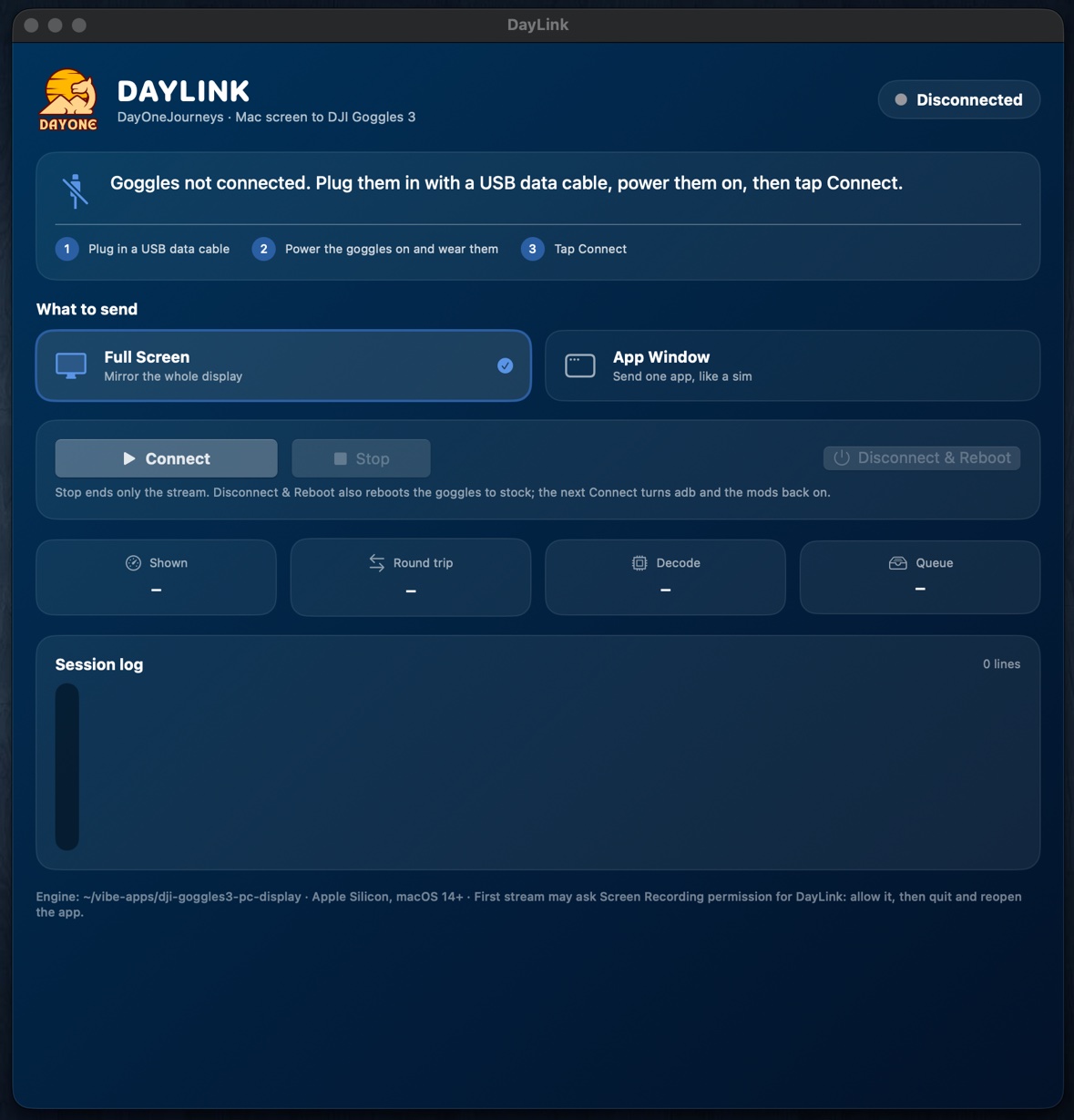
DayLink keeps the job simple. It moves the picture from your Mac to your goggles with as little delay as possible, and it shows you plainly what the stream is doing while it runs.
One tap on Connect starts the stream. Stop ends the stream and leaves everything in place for the next session.
When you are finished, Disconnect & Reboot restarts the goggles and returns them to stock, the way they were before you connected.
Send the whole display, or send a single app window such as the Liftoff simulator, so only your practice fills the goggles.
Shown frames, round trip time, decode time, and queue depth update live, so you can see the health of the stream at a glance.
A running log records each session in plain language. If something stops, the log shows where and when it happened.
A native Mac app for Apple Silicon, macOS 14 or later. No cloud account, no subscription, and nothing leaves your desk. The picture travels over the cable.
Three steps, start to finish.
Connect your DJI Goggles 3 to your Mac with a USB data cable and power the goggles on.
Choose Full Screen to mirror the whole display, or App Window to send just your simulator or one other app.
Tap Connect, put the goggles on, and fly. DayLink sends the picture at up to 100 frames per second with hardware decoding on the goggles.
These pieces are in the works. They are not in the current version, and they will be marked here when they ship.
A Record button that saves a session to a folder on your Mac, so practice flights are there to review later.
Recordings that sync to Google Drive on their own, ready to open on your phone or share with a link.
Share buttons that send a finished session out to the places DayOneJourneys already posts, without extra steps.